
An image converter embedded into Windows Explorer
Converting photos from one format to another is one of those boring editing tasks you have to do from time to time. Wouldn't it be great to have a tool that made it easier for you?
Morz Image Converter is one of those tools. But don't expect an attractive interface or lots of tools and menus. Mors Image Converter is directly embedded into Windows Explorer, which means that once installed on your computer, you can convert any photo from its context menu in Windows.
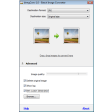
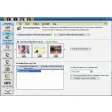
Simply right click on any photo and select the "Convert image(s)" option. You'll be presented with a window where you can choose the target format and the quality. When you click on "Convert" the program will convert all the selected images and save them into the same folder.
Handy as it is, I missed having a few more options in Morz Image Converter, such as the ability to rename converted files or save them in a different folder from the source one.
With Morz Image Converter you can convert multiple photos from one format to another right in Windows Explorer.



























User reviews about Morz Image Converter
Have you tried Morz Image Converter? Be the first to leave your opinion!